A quick, practical guide for hotel managers, maintenance teams, and building engineers
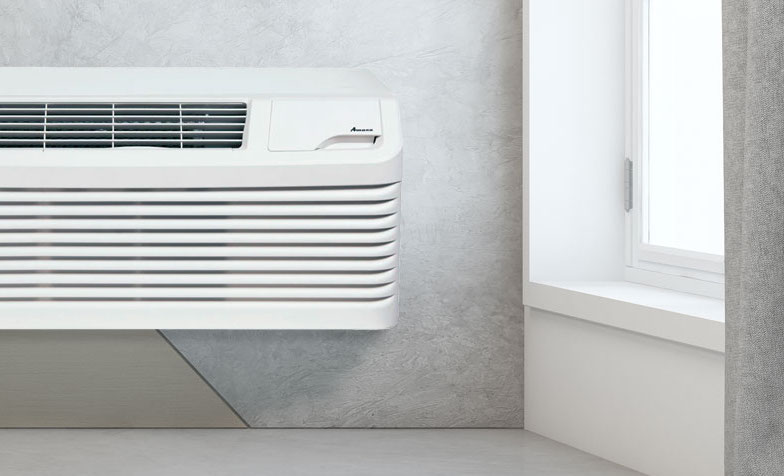
When a PTAC stops cooling or heating a guest room, the symptoms do not always reveal the cause. GE Zoneline AZ45 and AZ65 units store fault codes that help hotel staff separate an airflow or thermostat issue from a fan, sensor, compressor, or control-board problem.
The AZ45 is a cooling and electric-resistance-heat model, while the AZ65 adds heat-pump operation. Because of that difference, some codes apply only to the AZ65 or to units equipped with options such as a make-up air module.
This guide explains how to retrieve the codes, what they mean, and what hotel personnel can check before requesting service.
Before You Start
Record the model and serial number. This guide follows GE's 230/208-volt AZ45 and AZ65 service literature. Some 265-volt or other versions may differ.
Move the guest if the room cannot maintain a safe temperature. Do not delay a room change during severe weather.
Write down codes before clearing them. A stored code gives the technician useful history, even if the unit has started operating again.
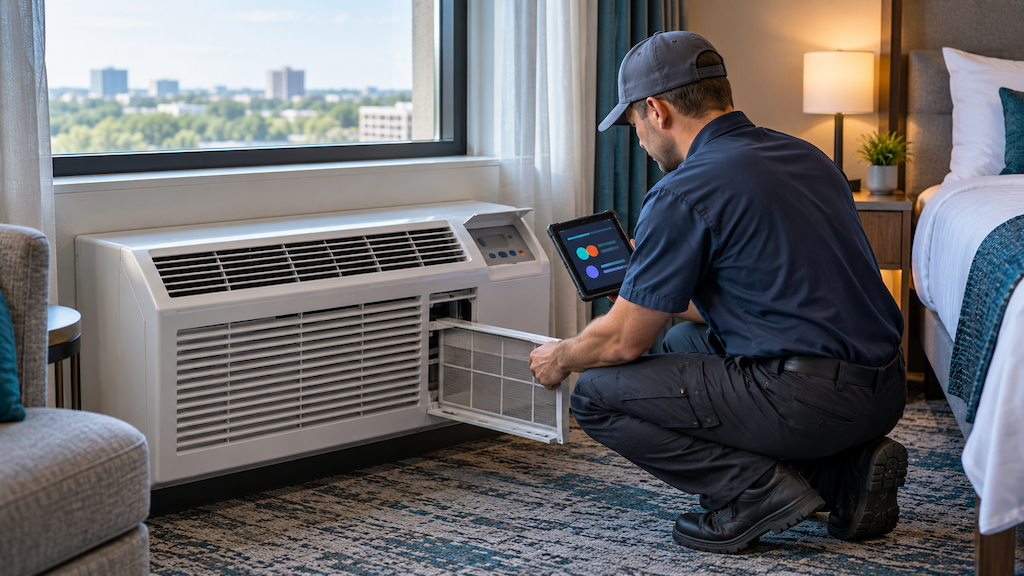
Work within the maintenance team's qualifications. Staff can inspect filters, grilles, thermostat settings, and visible obstructions. Disconnect power before opening service panels or touching internal parts. Leave refrigerant, line-voltage, motor, and control-board work to a qualified HVAC technician.
How to Read GE Zoneline AZ45 and AZ65 Fault Codes
The unit must have power but be in OFF mode.
Remove the room-side front cover to reach the red AUX SET button.
Press and hold the FAN button and the red AUX SET button at the same time.
The display will show each stored fault code for about three seconds, alternating on and off.
The codes cycle three times. The unit returns to OFF mode about 30 seconds later.
If no fault is stored, the display flashes --.
Any regular control button exits the display. Pressing AUX SET clears the stored codes but does not fix the problem. Record every code first.
GE Zoneline AZ45 and AZ65 Fault-Code Reference
Code | What it means | What happens while the fault is active | Recommended hotel response |
|---|
F1 | Indoor fan is not reaching the commanded speed | Heating, cooling, and fan operation stop | Check the filter, discharge grille, and visible obstructions. If the fan will not run, call a technician. The code can clear after 10 minutes. |
F2 | Outdoor fan is not reaching the commanded speed | Cooling and heat-pump operation stop. Fan-only and electric heat remain. | Check the outdoor grille safely. Do not reach into the fan area. The code can clear after 10 minutes. Request service if it returns. |
F3 | Wall thermostat is sending an invalid signal | External control stops. Internal controls remain available. | Confirm the thermostat configuration and inspect accessible low-voltage wiring. Use the unit controls temporarily if hotel policy allows. |
F4 | Indoor thermistor reading is invalid | Heating and cooling stop. Fan-only operation remains. | Request service for the indoor sensors and connections. |
F5 | Outdoor thermistor reading is invalid | Cooling and heat-pump operation stop. Electric heat and fan-only operation remain. | Request service for the outdoor sensor and wiring. |
F6 | No expected temperature change after one minute of compressor operation | No immediate restriction listed | Allow the three-minute reset. If the code returns or the room does not cool, request compressor and sealed-system diagnosis. |
F7 | Reversing valve did not produce the expected temperature change | Cooling and heat-pump operation stop. Electric heat and fan-only operation remain. | Allow the three-minute reset. A recurring code needs professional diagnosis. |
F8 | Software fault | No immediate restriction listed | Record the code. Perform one property-approved power reset. Request service if it returns. |
F9 | Indoor coil fell below 34°F | Compressor stops until the coil warms above 50°F | Turn off cooling, let the coil thaw, clean the filter, and open the air paths. Recurring freeze-ups require service. |
F10 | Heat-pump indoor coil exceeded 131°F | Outdoor fan stops until the coil falls below 122°F | Check the filter and airflow. Call a technician if the code repeats. Primarily relevant to AZ65 models. |
F11 | Inlet air exceeded 95°F | Compressor and electric heat stop until inlet air falls below 85°F | Clear the return air and remove unusual heat sources near the unit. |
F12 | User-interface board is disconnected or has failed | No immediate restriction listed | If the display or buttons fail, request control-board or wiring-harness diagnosis. |
F13 | Indoor fan speed is too low for heater airflow | Electric and heat-pump heating are unavailable | Clean the filter and clear the discharge grille. If airflow stays weak, call a technician before restoring heat. |
Less Common and Configuration-Specific Codes
Code | Meaning and response |
|---|
F16 | Make-up air module communication fault. Check accessible connections, then request service. |
F17 | Outlet thermistor failure. Electric heat is unavailable. Request service. |
F18 or F19 | Outlet-air overtemperature. Electric heat is disabled. Check the filter and discharge path, then request service if the code returns. |
F23 | Make-up air module fault. The module shuts down. Request service. |
F24 | Make-up air vent-door fault. Request inspection of the door, actuator, and controls. |
F25 | Heat-pump defrost fault after five unsuccessful defrost cycles. Heat-pump and defrost functions lock out. GE lists a 4.5-day self-clear period, but hotels should request service sooner if the room cannot maintain temperature. |
F26 | Heat-pump cooling lockout below 35°F outdoor temperature. It clears above 40°F and may reflect protective logic rather than component failure. |
Not every number between F1 and F26 is assigned in GE's service table. An absent number does not mean a code is missing from the display.
What Hotel Staff Can Check Before Requesting Technical Service
Start with airflow. A dirty filter or blocked grille can contribute to frozen-coil, overtemperature, low-fan-speed, and poor-performance complaints. Keep curtains, luggage, and furniture away from the unit.
Compare the thermostat and unit controls. With an F3 code, confirm that the Zoneline is set for the installed wall thermostat. Tell the technician if the built-in controls work but the thermostat does not.
Allow the stated reset period. F1, F2, F6, and F7 have defined reset times. F9, F10, F11, and F26 clear after temperatures return to GE's stated range. A code that repeats still needs attention.
Avoid repeated resets. Record the code, room number, symptoms, thermostat setting, outdoor conditions, and whether the problem returned. This gives the technician useful history.
When Should a Hotel Call an HVAC Technician?
Request service when a code returns, the room cannot maintain temperature, or the fault involves a motor, sensor, compressor, reversing valve, heater, control board, or make-up air module. Stop using any unit that produces a burning smell, smoke, repeated breaker trips, or visible wiring damage.
Track codes by model and room. Repeated F1, F2, F9, or thermostat faults across several units may reveal a fleet maintenance or installation issue.
Questions about GE Zoneline PTACs or other hotel climate-control products?
Transworld supplies hotel PTAC and air-conditioning solutions for replacements, renovations, and new-build hospitality projects. Contact our hospitality technology products team for help comparing GE Zoneline models, electrical requirements, accessories, and property needs.
Technical Source
Fault definitions, operating effects, reset conditions, and the code-retrieval sequence were checked against GE Appliances' Technical Service Guide for 230/208-volt Zoneline AZ45 and AZ65 models. Always confirm the exact model, voltage, and current service literature before repair.