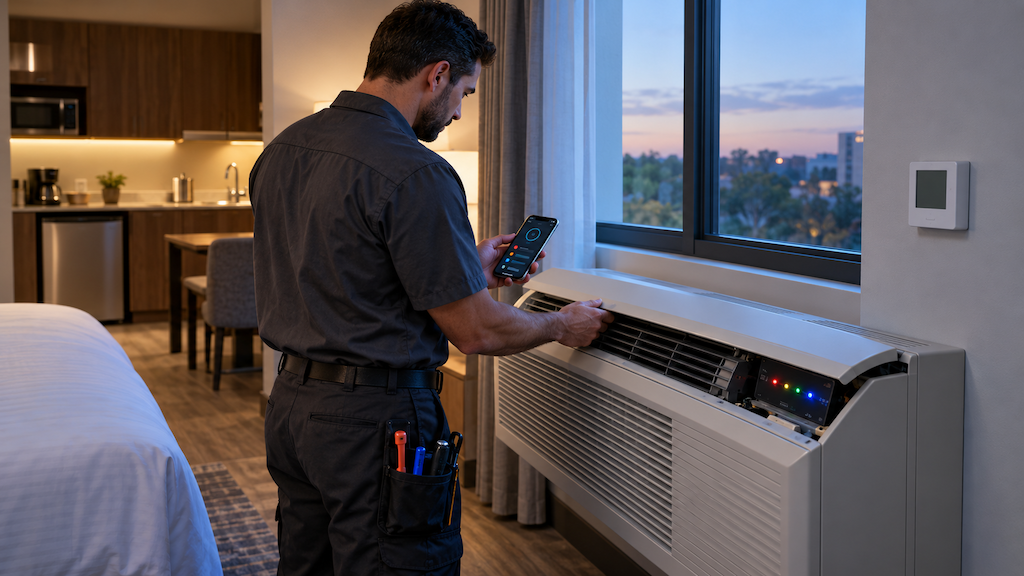
A quick, practical guide for hotel managers, maintenance teams, and building engineers
When an Amana J or K Series PTAC stops conditioning a guest room, the unit can report whether the problem involves airflow, a sensor, voltage, a DC motor, room controls, or the refrigeration system. The key is knowing where to look.
These newer Amana PTACs use two diagnostic layers. A red or green control-board LED identifies the general fault category. The Amana PTAC Connect mobile app then shows the exact alphanumeric code, current faults, historical warnings, and live sensor readings. This guide explains both methods and translates Amana J/K Series diagnostic codes into practical next steps for hotel teams.
Before You Start
Record the room, model, serial number, and code. Some codes look similar and capitalization matters. For example, F5, d5, H1, and L5 identify different conditions.
Move the guest when necessary. Do not delay a room change when the PTAC cannot maintain a safe temperature.
Start with the filter. Amana recommends cleaning the filter at the beginning of a diagnostic session unless the unit is a new installation. Restricted airflow can trigger several temperature and lockout codes.
Keep repair work within the team's qualifications. Hotel staff can clean filters, remove visible air blockage, check doors and thermostat batteries, and record diagnostic information. Motors, line voltage, sensors, control boards, and refrigerant circuits require trained service personnel.
The J Series uses R-32 refrigerant, while the K Series uses R-410A. R-32 is flammable, so never puncture tubing or open the refrigeration circuit. Follow the unit label and Amana service instructions for the exact model.
How Amana J/K Series Diagnostics Work
Remove the plastic room-side cover to view the control area. The red and green diagnostic LED is near the upper-left corner of the control board. Its flash pattern identifies the type of condition rather than the exact code.
LED pattern | General meaning | Hotel response |
|---|
Long green flash | Board powered, no PTAC fault | No action unless the room complaint continues |
One long and one short green flash | Limited operation without a fault | Check room controls and operating conditions |
One long and two short green flashes | Maintenance warning, often recirculation or airflow | Clean the filter and check indoor and outdoor air paths |
One long and one short red flash | M90 control-board failure | Contact an authorized servicer |
One long and two short red flashes | Lockout caused by airflow, temperature, or a possible refrigeration restriction | Clean the filter and inspect airflow. Request service if the lockout remains. |
One long and three short red flashes | DC motor problem | Request motor and control diagnosis |
One long and four short red flashes | Sensor, thermostat, humidity, or wireless-device problem | Check visible damage, thermostat batteries, and wireless binding |
One long and five short red flashes | Brownout, high voltage, or another power condition | Have qualified personnel verify the supply voltage |
One long and six short red flashes | Configuration error | Check the configured model and board settings |
Rapid quarter-second red flash | Corrupted firmware | Cycle power once. Replace or reprogram the board if the condition returns. |
Blue LED patterns concern Bluetooth, wireless-device binding, or the Eden network. A solid blue light means a Bluetooth device is connected. Blue flashes during pairing are not automatically PTAC faults.
How to Read Exact Diagnostic Codes in the Amana PTAC Connect App
Install Amana PTAC Connect from the Apple App Store or Google Play Store and allow Bluetooth access.
Remove the PTAC's plastic front cover.
Locate the physical red button on the control board and press it once to make the PTAC visible over Bluetooth. Do not hold the button down.
In the app, select PTAC Connect and tap the red scan button with the magnifying-glass icon.
Identify the correct unit by its serial number and select Connect.
Open Notifications to see current errors and the historical error log.
Open Diagnostics to view real-time thermistor readings in chart and table form.
Some fronts use a retaining screw. Remove it only as described in the unit instructions. Do not open electrical service panels merely to connect the app.
Amana J/K Series Diagnostic-Code Reference
Airflow, coil, and temperature codes
Code | Meaning | Recommended hotel response |
|---|
C1 | Hydronic coil freeze protection | Clean the filter and check fan operation. A technician should check for refrigerant loss or a restricted capillary tube if applicable. |
C2 | Indoor air recirculation | Clean the filter, remove blockage, close the vent door, and check the seal between indoor and outdoor sections. |
C4 | Frozen indoor coil | Clean the filter and check the blower and air path. Refrigerant loss or a restriction requires service. |
C5 | Outdoor air recirculation | Remove outdoor blockage and clean the outdoor coil if trained to do so. |
H2 / H4 | Hot compressor discharge | Check indoor and outdoor airflow and confirm both fans operate. Request service if the code returns. |
L3 | Indoor coil frosting | Clean filters and check coils, airflow, motors, operating mode, and outdoor conditions. Refrigerant diagnosis belongs with a technician. |
L4 | Indoor coil too hot during heating | Turn the unit off if there is smoke, a burning odor, or unusual heat. Clean filters and check airflow, then request service. |
L6 | Electric discharge air too hot | Clean the filter and remove discharge-air blockage. Do not restore heat if the code returns. |
LC | Outdoor coil hot lockout | Clean the condenser coil and check outdoor fan operation. The code should reset after the condition is corrected. |
LE / LF | Outdoor coil frost lockout | This may be normal in low outdoor temperatures. Request service if heating performance does not recover. |
Sensor, thermostat, and wireless codes
Code | Meaning | Recommended hotel response |
|---|
F1 | Indoor ambient and remote indoor temperature sensor problem | Check the wireless thermostat connection. Sensor replacement requires service. |
F2 | Wireless thermostat sensor failure | Replace the wireless thermostat if rebinding and fresh batteries do not correct the problem. |
F3 | Indoor ambient temperature sensor failure | Request indoor thermistor service. |
F4 | Indoor coil temperature sensor failure | Request indoor thermistor service. |
F5 | Wireless-device signal loss | Rebind the wireless thermostat. Replace it if the connection cannot be restored. |
F6 | Indoor discharge temperature sensor failure | Request indoor thermistor service. |
F7 | Outdoor coil temperature sensor failure | Request outdoor thermistor service. |
F8 | Outdoor air temperature sensor failure | Request outdoor thermistor service. |
F9 | Compressor discharge temperature sensor failure | Request outdoor thermistor service. |
FE | Compressor suction temperature sensor failure | Request outdoor thermistor service. |
Fb | Low battery in a wireless device | Replace the thermostat or occupancy-sensor batteries. |
Fh / Of | Outdoor humidity or combined outdoor-air/humidity sensor failure | Check the visible sensor connection, then request service if needed. |
Power, motor, board, and configuration codes
Code | Meaning | Recommended hotel response |
|---|
br | Brownout or low incoming voltage | Have qualified personnel verify the power supply. Do not repeatedly reset the unit. |
H1 | Incoming voltage is too high | Turn the unit off and have qualified personnel check supply voltage. |
d5 | Outdoor DC motor problem | Request inspection of the motor, wiring, and motor-control daughter board. |
d6 | Indoor DC motor problem | Request inspection of the motor, wiring, and motor-control daughter board. |
Ec | Relay configuration error | A technician should confirm configuration settings P3, P4, P5, and P6. |
Eo | Replacement service board is not configured | Configure setting C3 for cooling with electric heat or heat-pump operation before use. |
LH | Model or heat-pump configuration error | Compare the C3 setting with the physical unit. |
Red LED with --- | Program or firmware error | Contact Amana support or an authorized servicer for firmware correction. |
Hotel controls, protection modes, and DigiAir codes
Code | Meaning | Recommended hotel response |
|---|
A1 / A2 | Normally open or normally closed alarm input on IN1 or IN2 | This may be normal based on settings u8 and u9. Check the connected hotel control. |
EH | Emergency hydronic control is active | Open the front-desk emergency hydronic switch if hotel procedure permits occupant operation. |
Fd | Front-desk control has disabled occupant operation | Open the front-desk switch when the room should be available. |
FP | Room freeze protection is active | No action is normally required. The mode disengages above 43°F. |
HP | Room heat protection is active | No action is normally required. The mode disengages when the room temperature falls. |
L5 | Load shedding is active | Open the load-shedding switch when hotel energy controls permit normal operation. |
oP | Open room door lockout | Close the door. The unit will not condition the room while the configured door input remains open. |
Ur | Room is marked unrented | Change the room to rented mode at the front desk if applicable. |
FA / HA / L7 | DigiAir suction-cold, discharge-hot, or refrigeration warning | Check the ventilation-kit filter and airflow. Refrigerant or head-pressure diagnosis requires service. |
FC / FH | DigiAir suction or discharge thermistor failure | Request DigiAir thermistor service. |
Green LED with --- | No error is present | No action is needed. |
What Hotel Staff Can Check Before Requesting Service
Clean the filter and clear both air paths. Many Amana codes begin with the same physical checks because restricted airflow can freeze the indoor coil, overheat discharge air, raise compressor temperature, or cause recirculation.
Check hotel controls before replacing parts. Codes such as A1, A2, EH, Fd, L5, oP, and Ur may reflect an energy-management, door, front-desk, or room-status input. The PTAC may be following its configuration correctly.
Check wireless devices. Replace batteries for Fb. For F5, try rebinding the thermostat through the PTAC Connect app. Confirm the serial number before changing settings so another room's PTAC is not adjusted by mistake.
Save the history. Photograph the LED pattern and capture the Notifications screen before clearing or resetting anything. Record the room number, thermostat setting, outside conditions, and whether the fault returned.
When Should a Hotel Call an HVAC Technician?
Request professional service when a red code returns after basic airflow checks, the room cannot maintain temperature, or the fault involves a motor, thermistor, control board, supply voltage, or refrigeration circuit. Stop using a unit that produces smoke, a burning smell, repeated breaker trips, visible wiring damage, or abnormal heat around the cabinet.
For hotels with many Amana J or K Series PTACs, track codes by model and room. Repeated C2, C4, C5, L3, or motor faults across several units may point to a cleaning schedule, grille, sleeve, installation, or configuration issue that deserves a property-wide review.
Questions about Amana J/K Series PTACs or other hotel climate-control products?
Transworld supplies Amana PTAC units for hotels, including J Series R-32 models and K Series R-410A models. Contact our hospitality technology products team for help comparing capacities, electrical requirements, thermostats, accessories, and replacement options.
Technical Sources
Diagnostic LED patterns, fault definitions, and suggested actions were checked against Amana's J/K Series Installation Instructions and Owner's Manual. App connection and diagnostic steps were checked against the official Amana PTAC Connect App Connection and Navigation Guide. Always confirm the exact model and current service literature before repair.